
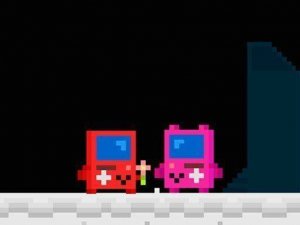
Stellar Hearts Puzzle Journey
Reviews
Description
Story & Atmosphere
Stellar Hearts Puzzle Journey presents a quiet narrative about a visitor from another world searching for a meaningful bond. The story unfolds across Earth's diverse settings, from quiet countryside paths to lively urban streets. Each location adds a new layer to the alien's gentle quest, with environmental details that hint at the deeper emotional journey. The tone remains warm and optimistic throughout, making it suitable for players of all ages who appreciate a positive storyline.
Puzzle Design & Interaction
The puzzles focus on observation and simple logic rather than speed or complex rules. Players interact with objects in the environment, rearrange elements to clear paths, and find hidden triggers to advance. Each challenge is designed to feel rewarding without causing frustration. The game encourages a relaxed pace, allowing players to experiment freely. Hints are woven into the scenery, rewarding those who take time to look around carefully.
Visual Style & Audio
Bright, hand-drawn visuals bring each level to life with distinct color palettes and charming details. The alien character is expressive and endearing, with animations that convey curiosity and warmth. Background music shifts subtly to match the mood of each location, from gentle acoustic melodies in parks to livelier tunes in city scenes. Sound effects are soft and supportive, reinforcing actions without being distracting.
Progression & Replay Value
Levels are structured as chapters in a story, each introducing new puzzle elements while building on previous ones. The difficulty curve stays gentle, making it accessible for younger players or those new to puzzle games. After completing the main story, players can revisit any level to find optional collectibles or hidden interactions. This adds a light layer of replay without demanding perfection.
Family-Friendly Design
Every aspect of Stellar Hearts Puzzle Journey is crafted for a broad audience. There is no time pressure, no failure states that reset progress, and no content that would concern parents. The controls are simple enough for young children to grasp, while the story and puzzles offer enough substance to engage older players. It works well as a shared experience between adults and kids.






Player Comments
Sign in to comment
You must be logged in before posting a review or rating.
No account? Create one
No comments yet. Be the first to comment!