
Pixel Craft: Retro Art Challenge
Developer: Far Core Creations
Published: 2026-07-21
Updated: 2026-07-21
Reviews
Pixel Craft stands out for its ability to make puzzle solving feel meditative. The grid-based painting mechanic is simple to learn but offers enough variety to stay engaging across many sessions. The retro art style evokes nostalgia without relying on outdated gameplay. Its strength lies in the balance between challenge and relaxation, allowing players to focus without stress. The lack of timers or scores makes it a rare gem for those seeking a peaceful digital hobby. Overall, it is a well-crafted title that respects the player's time and creativity.
Description
Core Creative Loop
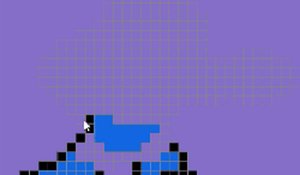
At its heart, Pixel Craft asks players to fill a grid of small squares to match a reference image. Each tile placed brings the picture closer to completion. The process rewards careful observation and steady hands. Unlike fast-paced arcade games, this title encourages a slower, more deliberate approach. Players can take breaks between sections, making it easy to fit into short sessions or longer periods of relaxation. The satisfaction comes from watching a blank canvas transform into a recognizable figure, one tile at a time.Visual Style and Atmosphere
The game adopts a clean, minimalist interface that keeps the focus on the artwork. Each reference image uses a limited color palette, echoing the look of early computer graphics. The background music consists of soft, looping melodies that do not distract. Sound effects are subtle, providing gentle feedback when a tile is placed correctly. This design choice helps maintain a calm environment, free from loud noises or flashing visuals. The overall aesthetic appeals to those who appreciate retro art styles and simple, uncluttered screens.Progression and Motivation
As players complete each picture, they unlock new reference images to recreate. The difficulty increases gradually, with later images requiring more tiles and finer color distinctions. There is no timer or score system, removing any pressure to rush. This structure allows players to progress at their own pace. The sense of accomplishment comes from finishing each piece, not from beating a high score. For those who enjoy collecting, the completed gallery serves as a visual record of their creative journey.Controls and Accessibility
Pixel Craft uses straightforward controls that work on both desktop and mobile devices. On a computer, players click individual tiles or drag across multiple squares to fill them quickly. On a touchscreen, tapping and swiping achieve the same effect. The reference image can be moved and zoomed for closer inspection. These options ensure that players of all ages and skill levels can participate without frustration. The interface uses large buttons and clear labels, reducing the learning curve to nearly zero.Compatibility
✅ Works on PC & Mobile | Recommended: Chrome / Safari / Edge
Faq
Is Pixel Craft suitable for young children?
Yes, the game is designed for all ages. The controls are simple, and there is no time pressure or violent content. Younger players may need help with more complex images, but the basic mechanics are easy enough for children to understand and enjoy.
Do I need an internet connection to play Pixel Craft?
The game can be played offline after the initial download. All reference images and tools are stored locally, so no constant internet connection is required. This makes it a good choice for travel or areas with limited connectivity.
How many images are included in Pixel Craft?
The base game includes a collection of images that grows as you progress. While the exact number is not specified, the variety covers different themes and difficulty levels. Additional packs may be available to expand the library further.
Can I create my own images to paint in Pixel Craft?
The current version does not include a custom image import feature. Players work with the provided reference images only. This keeps the experience focused on completing the curated collection without extra complexity.
Does Pixel Craft have any in-app purchases or ads?
The game is designed to be family-friendly and may include optional purchases for extra image packs. Advertisements, if present, are non-intrusive and appropriate for all ages. There are no pay-to-win mechanics or locked content behind payments.
What happens if I make a mistake while painting a tile?
Players can easily undo the last action or reset the current image to start over. There is no penalty for errors, which encourages experimentation and learning. The undo feature helps maintain a stress-free environment where mistakes are part of the creative process.









Player Comments
Sign in to comment
You must be logged in before posting a review or rating.
No account? Create one
No comments yet. Be the first to comment!