Melody Keys Music Studio

Imaginative Inventive Instructional Audio Child-Safe Engaging
Melody Keys Music Studio
121
Developer: Happy Pixel Games
Published: 2025-08-30
Updated: 2026-07-30

Reviews

Melody Keys Music Studio succeeds as an entry point for musical exploration. The instant feedback from pressing keys encourages experimentation, and the song tutorials provide clear guidance for beginners. The animated characters are a thoughtful addition that rewards curiosity. Because the game requires no downloads or personal data, it is ideal for classrooms or family use. The main limitation is the single piano sound, but for a free tool focused on fundamentals, this is a minor trade-off. Overall, it is a well-designed, pressure-free introduction to playing music.

Description

Virtual Piano Setup

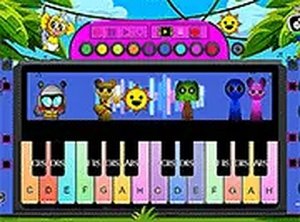
Melody Keys Music Studio runs entirely in a web browser. When players visit the site, a bright, clearly labeled keyboard appears on screen. Each computer key corresponds to a piano note. Pressing a key produces a clean musical tone. The interface responds instantly, making it easy for beginners to connect their actions with sounds. No software installation or account creation is required.

Guided Song Tutorials

The game includes step-by-step instructions for playing well-known melodies. These tutorials highlight which keys to press and in what order. Players can follow along at their own pace, repeating sections as needed. This structure helps develop timing and note recognition without pressure. The tutorials are designed to build confidence gradually.

Freeform Composition Mode

Beyond guided lessons, Melody Keys Music Studio encourages open-ended exploration. Players can press any combination of keys to hear how notes interact. This sandbox approach supports creativity and experimentation. Some users may discover pleasing chord progressions or simple melodies through trial and error. The absence of scoring or timers keeps the focus on enjoyment.

Animated Character Interactions

Special animated characters appear during gameplay. When players hit certain keys or sequences, these characters respond with whimsical sound effects. The characters add a layer of surprise and delight without distracting from the music. Their reactions are tied to the player's actions, reinforcing cause and effect in a playful way.

Cross-Device Compatibility

Melody Keys Music Studio works on desktop computers, tablets, and smartphones. The layout adjusts to different screen sizes while keeping keys large enough to tap comfortably. A full-screen option removes browser distractions for focused practice. This flexibility means players can continue their musical exploration on any device with internet access.

Compatibility

This H5 game runs smoothly on:
• Desktop computers (Windows / Mac) • Mobile phones (iPhone / Android)
• Tablets (iPad / Android)
🌐 Best experienced with Chrome, Safari, or Edge

Faq

Is Melody Keys Music Studio suitable for very young children?
Yes, the game is designed with a simple interface and large, colorful keys that are easy for small fingers to press. No reading is required to start making sounds, though the song tutorials may need adult assistance for children under five.
Can I use a MIDI keyboard with Melody Keys Music Studio?
The current version is optimized for standard computer keyboards and touchscreens. MIDI keyboard support is not mentioned in the game description, so players should plan to use their device's built-in keys or an external USB keyboard.
Does the game track progress or save my compositions?
Melody Keys Music Studio does not require registration, so progress and custom compositions are not saved between sessions. Each visit starts fresh, which keeps the experience simple and private.
Are there different sound effects or instrument options?
The primary sound is a piano tone. The animated characters add unique sound effects, but the core musical output is piano-based. Players looking for varied instrument sounds may need to supplement with other tools.
How long does it take to learn a song using the tutorials?
Learning time varies by song complexity and the player's prior experience. Simple melodies may take a few minutes to grasp, while longer pieces could require several practice sessions. The tutorials allow unlimited repetition.
Is there any cost or hidden fee to access Melody Keys Music Studio?
No, the game is completely free to play. There are no in-app purchases, subscriptions, or advertisements. All features, including the tutorials and full-screen mode, are available without payment.

Comments

0 comments
U
User
Loading comments...